Turn any screenplay
into your complete
VFX breakdown.
into your complete
VFX breakdown.
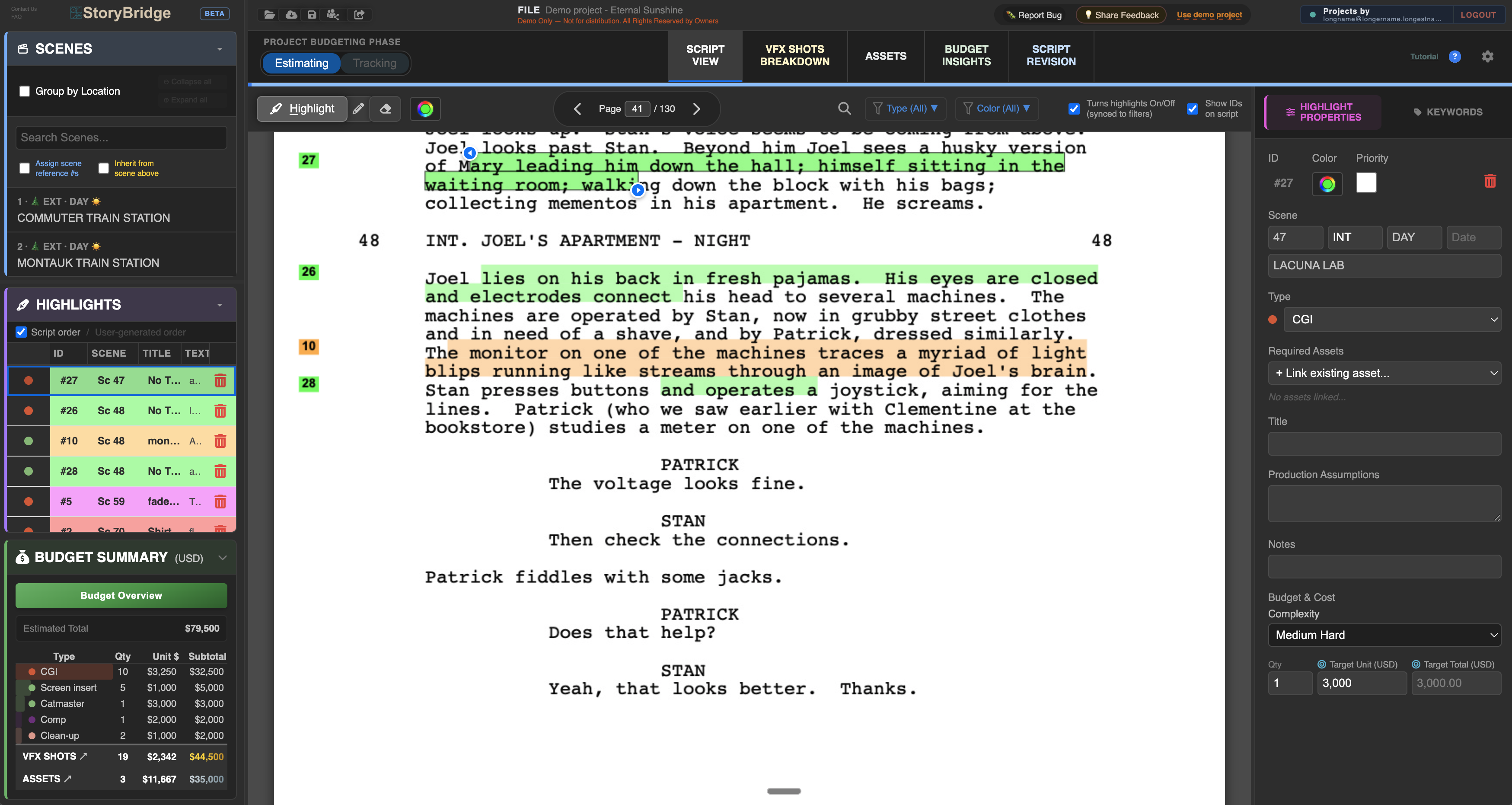
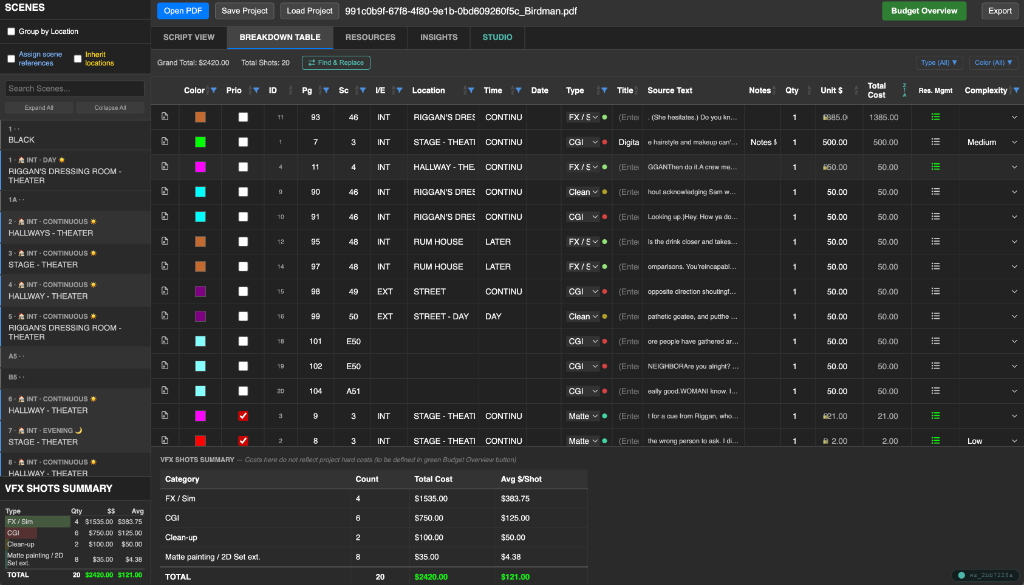
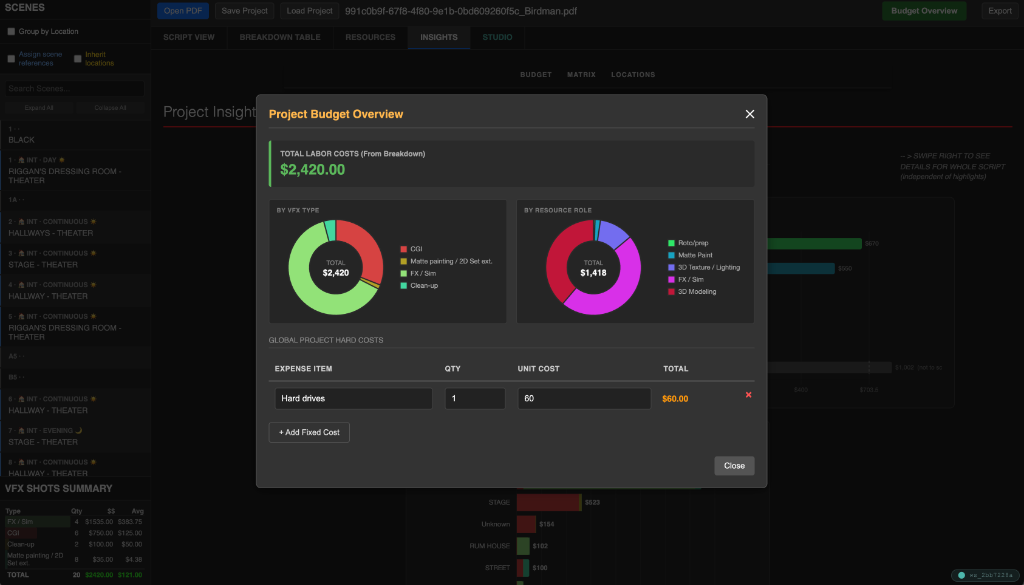
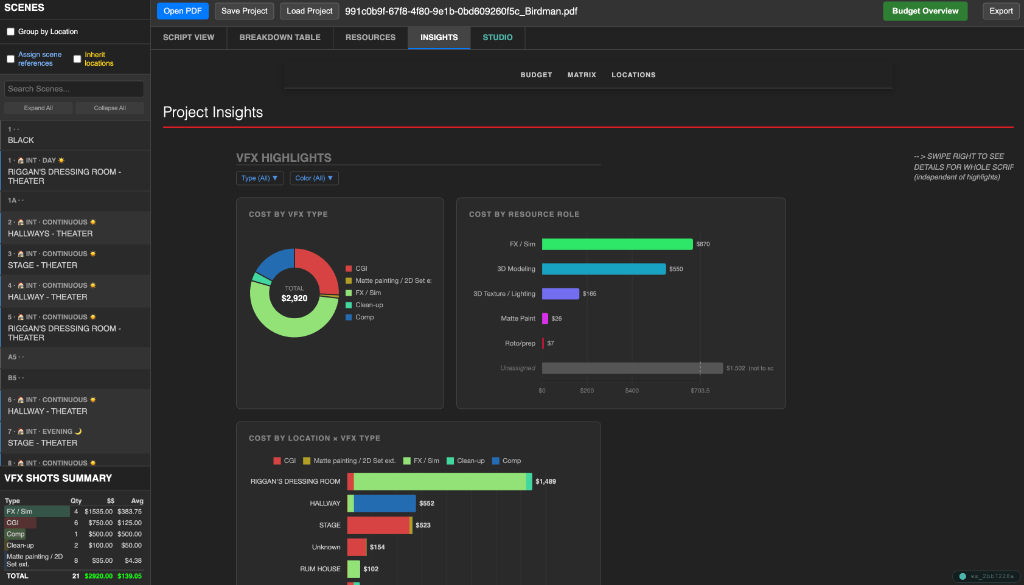
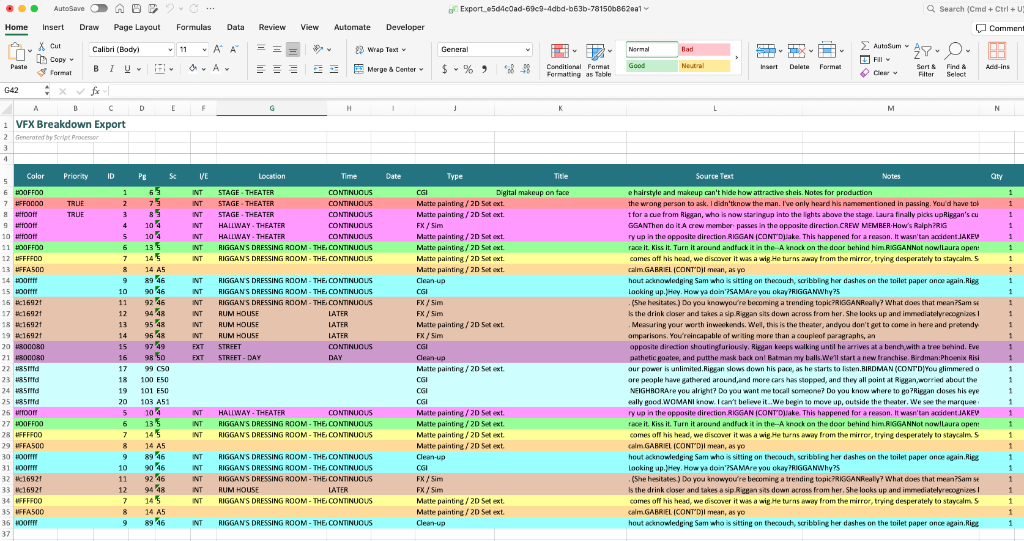
StoryBridge supercharges the VFX script breakdown process, auto-detecting scenes, locations, characters, and time of day. This helps the user focus on identifying potential VFX shots, highlighting and introducing budget and other details for the breakdown. Analysis tabs will allow users to see how the budget breaks down into categories.
The tool uses budgeting phases.
During the "Estimating phase", the tool is preset with a list of shot complexity levels, each with its assigned price level. The user may change these presets in the General Settings, while also manually override any shot’s unit cost as desired.
During the "Tracking phase"* vendors' bids can feed into each shot, creating visibility for the expected margin of each shot. Further granularity of detail is available if users wish to quote by artist capability types and rates.
* This will not be open by default during the beta test but may be requested.
StoryBridge allows you to upload revised drafts. It will run a comparison and detect what is new or was removed in each scene. You keep all of your work from the previous draft, transfer all highlights, properties and annotations to the new draft, and quickly get to see where you might need to make adjustments.
During the beta test, each user will own their projects, but when the tool is rolled out after beta, users will be able to invite collaborators to your project workspace. You can set them as 'Editors' to help tweak the VFX lists, or 'View-Only' so they can see the budget estimates and scenes without making accidental changes.
StoryBridge is a web-based application built with responsive design. While the most comfortable experience for heavy review is on a desktop or laptop, you can view your dashboards and budgets seamlessly on any modern tablet app.
StoryBridge is not an AI tool. Instead, it is a tool to help you work on your script in a way that is organized, intuitive, stable and predictable. A layer of AI capabilities will be introduced after we have perfected the tool with the feedback received from the beta test. It is more important for us to have a reliable tool that does not depend on AI at the moment, and only introduces this when users feel comfortable that the tool works as they expect it to.
Absolutely. We understand that scripts are highly confidential IP. All uploaded PDFs are processed securely. Your scripts are never shared, sold, or used to train public AI models. Please review our Privacy Notice.
When importing, StoryBridge accepts industry-standard PDF screenplays (such as those exported from Final Draft, Celtx, or Fade In).
When exporting, the user may export the highlighted script in PDF, and the breakdown table in Excel (macro-enabled or disabled, as preferred), and CSV.
StoryBridge easily handles standard television and feature film formats (up to roughly 200 pages and 20MB per PDF). For massive, multi-episode show bibles, we recommend splitting the files by episode for the best performance.
Screenplays can sometimes have bizarre formatting. If your PDF fails to upload, our support engineering team is available to help diagnose and resolve formatting edge-cases as soon as possible. Just reach out to admin@hssg.ai
Our tool currently works best with English and Spanishs screenplays. More languages will be integrated into future functionalities. The interface (our buttons and messages) are currently displayed in English, with Spanish coming soon.
StoryBridge™ is being built in collaboration with VFX supervisors, producers, and studios — shaped directly by their feedback to meet real-world production needs of going from script to pipeline faster. Request early access below.